An Indian mobile number remains a practical starting point for DigiLocker abroad. The service’s current guidance says a non-resident Indian cannot register using a foreign mobile number, even though documents can be accessed online.
That is only the first of three separate checks. You need access to your account, the issuing body must make the required document available, and the organisation receiving it must accept that document in the form supplied.
For someone preparing a university application, a driving-licence conversion or family paperwork from overseas, confusing those stages can waste time. Seeing a certificate on a phone does not establish that a foreign authority will accept it instead of an original, a certified copy or a document sent directly by the issuer.
What should you check before using DigiLocker abroad?
Check your registered mobile number, your ability to receive authentication messages and whether the relevant document issuer is connected to the service.
The official DigiLocker guidance identifies an Indian mobile number as the registration requirement for NRIs. Before relying on the account for an overseas deadline, establish whether that number is active and can receive the required messages where you are.
Do not assume that owning an Indian SIM establishes that an OTP will arrive. Mobile service arrangements and the actual delivery of a message need checking on your own device. If a verification attempt fails, use the official recovery or support process instead of borrowing another person’s identity.
Make a simple list of the documents you need and the organisations that want them. Against each entry, record the issuer, the required format, whether a translation is needed and the deadline. That turns a broad search for “all my Indian documents” into a manageable set of checks.
Which Indian documents can you access?
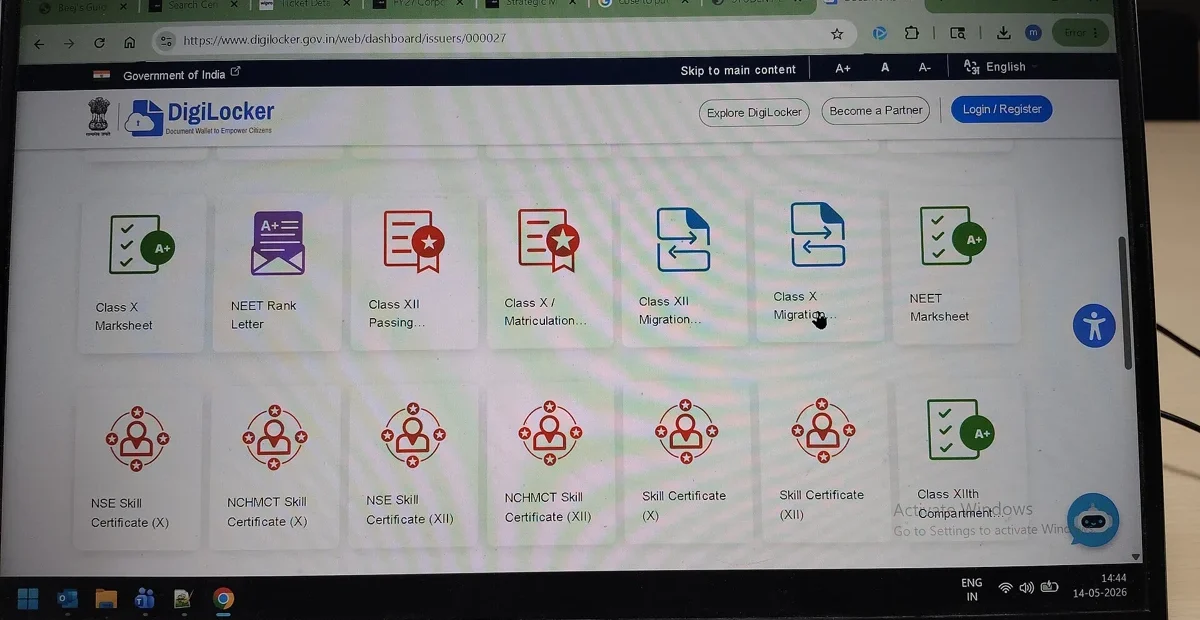
You can retrieve documents made available by issuers integrated with DigiLocker, subject to the issuer’s records and the matching details it requires.
The service’s official description of its document system explains the relationship between citizens, issuers and requesting organisations. Its guidance covers examples such as academic certificates, driving licences, vehicle registration documents and Aadhaar.
Those examples are categories, not a promise that every qualification, state record or historical document is available. Search for the actual board, university or department. Then establish whether it supplies the particular document type and year that you need.
Where a search requires a roll number, registration number or other identifying detail, copy it from the original record. A document not appearing under an incorrect number does not prove that the issuer has no record. Check spelling, dates and the issuer’s instructions before raising a query.
How are issued documents different from uploaded files?
Issued documents come from the connected issuer’s original data source; uploaded files are documents that the account holder places in storage.
DigiLocker’s guidance describes the Issued Documents section as containing links to records supplied by integrated agencies. DigiLocker Drive stores material uploaded by the user. The two functions should not be described as interchangeable evidence of authenticity.
Does uploading a scan make it an issuer-verified document?
No. Uploading stores your file. An issued document is supplied through the connected issuing body’s records. The recipient must still decide whether that document and verification method meet its requirements.
| What you have | What it establishes | What still needs checking |
|---|---|---|
| Issued document in the account | Document supplied through an integrated issuer | Matching details, current status and recipient acceptance |
| Scan uploaded to Drive | A file stored by the user | Authenticity, certification and required format |
| Downloaded electronic copy | A saved version of the selected document | Whether the recipient can verify and accept that version |
| Printed copy | Paper reproduction of the document | Whether an original, certified copy or direct issuer submission is required |
Keep that distinction when naming files. A label such as “uploaded scan of degree” is clearer than “verified degree” where no issuer verification has taken place. An orderly folder is useful, but the folder name does not change the document’s status.
What does legal recognition in India mean overseas?
Indian recognition of DigiLocker documents does not by itself establish acceptance by an overseas immigration agency, licensing authority, university or employer.
The platform’s terms of use, last modified on 2 June 2025, refer to legal equivalence under India’s digital-locker rules. The practical overseas question remains the receiving organisation’s own evidence requirement.
Ask that organisation a precise question: will it accept this issuer’s digitally issued document, through this verification method, for this application? If the answer is yes, keep the written instructions with the submission. If it requests a different format, obtain that format before assuming an electronic copy is sufficient.
A person using an Indian driving licence in New Zealand, for example, needs to check New Zealand’s licence and translation requirements separately. Access to an Indian digital record does not determine overseas permission to drive.
How should you check a document before sharing it?
Check the issuer, personal details, document type and the verification method described by the issuing body or receiving organisation.
Read the name, date of birth and document number against the records relevant to the application. If the account profile is accurate but the certificate is wrong, identify whether the correction belongs with the issuer rather than with the account settings.
Do not edit the downloaded certificate to resolve a mismatch. Ask the issuer how to correct its record and how the updated document will become available. Keep the correspondence, particularly where a deadline is close.
If the recipient requests a QR-based or digital-signature check, follow its instructions and the official platform guidance. A screenshot that cuts off the verification information may not serve the same purpose as the original electronic file. Ask before submitting a cropped image.
What did the public access check establish?
The public DigiLocker website, its guidance and its explanation of the issuer system were accessible during a check on 18 October 2026.
The guidance displayed the distinction between issued records and uploaded files, together with the Indian-mobile-number requirement for NRI registration. The public material also described authentication and sharing with the account holder’s consent.
A successful public-page check does not establish successful access to an individual account. Private login, receipt of an OTP, retrieval of a personal certificate and QR verification were not tested in that check. Readers should test their own authorised access before committing to an application timetable.
This distinction matters because a working homepage cannot answer whether a particular university has supplied a specific year’s record or whether an individual’s details match. Those are separate, document-level checks.
What if a document is missing or the details are wrong?
Start with the issuer and the exact error. A missing record, a failed authentication attempt and a receiving organisation’s refusal are different problems.
For a missing document, record the issuing body, the document type and the details entered. For an account-access problem, record the stage at which the process fails. For a recipient’s refusal, ask which requirement the submitted file did not meet.
Use DigiLocker’s official contact and support route. Provide only the information required through that channel. A public social-media post containing a full identity number or certificate can expose more information than is needed to describe the problem.
Keep a copy of the support reference and response. If the issue belongs with the issuer, retain the platform’s explanation when approaching the board, university or department. It helps avoid repeatedly reopening the wrong kind of query.
How can you protect your account while someone helps?
Keep control of authentication and give assistance through the official sharing or consent process where appropriate.
A family member may help identify a document or explain a form without needing unrestricted access to the entire account. Check which record the recipient needs and whether other personal details are visible in the file you plan to send.
Do not share an OTP or security PIN with an unsolicited caller offering to repair an account. Use the official site directly. Review what a consent request permits before accepting it, and keep the receiving organisation’s instructions.
For broader arrangements made from overseas, access to documents is separate from legal authority to act. Someone giving a power of attorney in India still needs the relevant execution and registration checks. A document stored in an account does not itself appoint a representative.
What does this mean for you?
Treat DigiLocker as one part of the document process: access, retrieval, verification and acceptance each need an answer.
Before travel or an overseas deadline, test the registered number and your own account access, check the actual issuer and retrieve the required document. Keep the original or other required evidence available where the recipient asks for it.
For an urgent application, ask about an alternative official route at the same time as resolving a technical problem. The alternative might be a direct issuer submission or a particular certified copy, but it is the receiving organisation that must confirm what it will accept.
What happens next?
Confirm the recipient’s requirements in writing, then submit the accepted document through its stated channel and keep the acknowledgement.
If the record is rejected, obtain the reason before resending the same file. A format problem needs a format correction; an identity mismatch needs the underlying record checked; a missing issuer record needs the issuer’s response. Resolving the right problem is more useful than repeatedly downloading the same certificate.